POS ERP Integration & Real-Time Data Synchronization
Eliminate disconnected data silos. Bridge front-end sales counters with back-end inventory, purchasing, and financial ledgers.
When retail counters operate separately from enterprise management, stock discrepancies and double-entry errors escalate. FaazSoft POS ERP synchronization unifies retail checkout, stock levels, vendor purchase orders, and multi-branch accounting into one cohesive data flow.
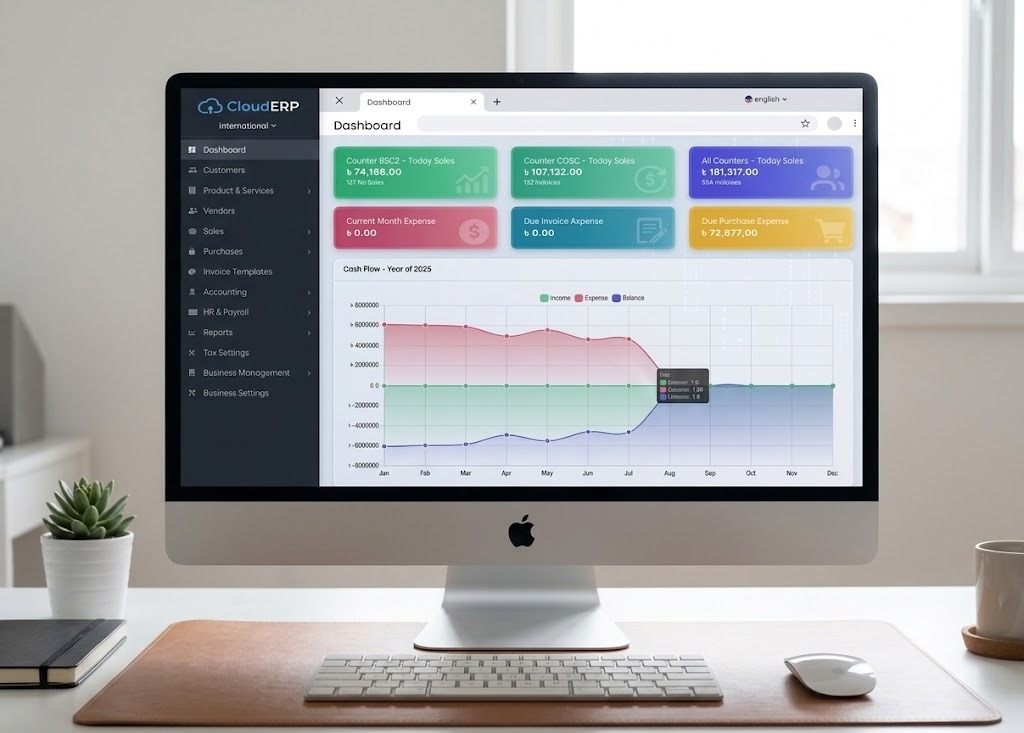
Core Pillars of the FaazSoft POS & ERP Sync Solution
Connect every operational touchpoint without complex custom middleware or brittle spreadsheet imports.
Real-Time Inventory Synchronization
Every item scanned at checkout updates central warehouse and branch inventory balances instantly, preventing stockouts and overselling.
Sales & Invoice Posting
Sales transactions post directly into general ledgers, tracking cost of goods sold (COGS), gross margins, and customer accounts.
Offline Synchronization Queue
If store internet drops, local SQLite queues preserve all sales and stock adjustments, replaying transactions securely upon reconnection.
Inter-Branch Stock Reconciliation
Coordinate transfers between central warehouses and regional retail stores with verified shipping, transit, and receiving logs.
Automated Procurement Workflows
Trigger purchase requisitions based on branch reorder thresholds, supplier lead times, and seasonal velocity forecasts.
Centralized Security & Data Integrity
Role-based access control, cryptographic data transit, and structured audit logs protect sensitive enterprise financial records.
Related Enterprise Platforms & Architecture Guides
Explore how our synchronized architecture powers multi-branch retail, custom software integrations, and uninterrupted offline checkout.
Frequently Asked Questions About POS ERP Integration
Key questions on data synchronization, offline queues, and enterprise ERP connectivity.
Q.What business data synchronizes between the POS terminals and the ERP system?
FaazSoft synchronizes sales receipts, item returns, inventory deductions, stock receipt batches, customer ledger balances, and payment journal entries between your front-of-house checkout counters and the central ERP database.
Q.How does the synchronization queue handle network interruptions and offline sales?
When an internet drop occurs at a store, the POS terminal writes all transaction events to an offline SQLite queue. Once network connectivity is re-established, the background sync engine pushes transactions chronologically to the central ERP without duplicate entries.
Q.How are multi-branch inventory movements reconciled across the ERP?
Inter-branch stock transfers and warehouse dispatches are tracked with digital audit logs. As branch managers confirm receipt of incoming shipments, the ERP automatically reconciles goods-in-transit against the receiving branch inventory ledger.
Q.Does the POS and ERP sync solution support automated purchase orders and supplier receiving?
Yes. When inventory at a branch or warehouse falls below preset reorder thresholds, the ERP generates suggested supplier purchase orders. Received goods can be scanned and verified directly at the dock before posting to active stock.
Q.Can FaazSoft connect with custom software modules or proprietary databases?
Yes. In addition to FaazSoft’s built-in cloud ERP suite, our engineering team provides custom integration pipelines for legacy databases, third-party accounting packages, and bespoke enterprise systems.
Request a POS ERP Integration Demonstration
Learn how our synchronized architecture bridges retail POS terminals with back-office accounting, inventory, and procurement.